This is an issue you'll find often in web sites. Let's take the Vimeo music store (http://vimeo.com/musicstore) where this morning I was reminded of this problems

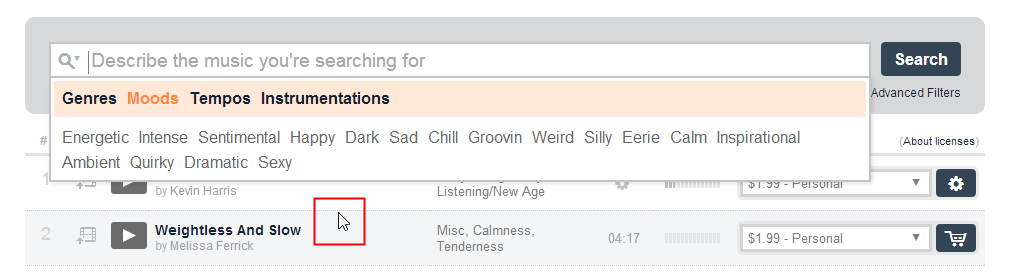
Specifically I'm going to the Search box and look for “Chill out music”. Now just clicking on the search box, reverals the flyout, conveniently for me I see that it is a classic two-level flyout meny. The first level is a category. In this example, it is set to “Genre” and the seccond level a list of items in the category. Fortunately for me, “Chill-out” is already listed (highlighted in red below).
Let's see what happens:
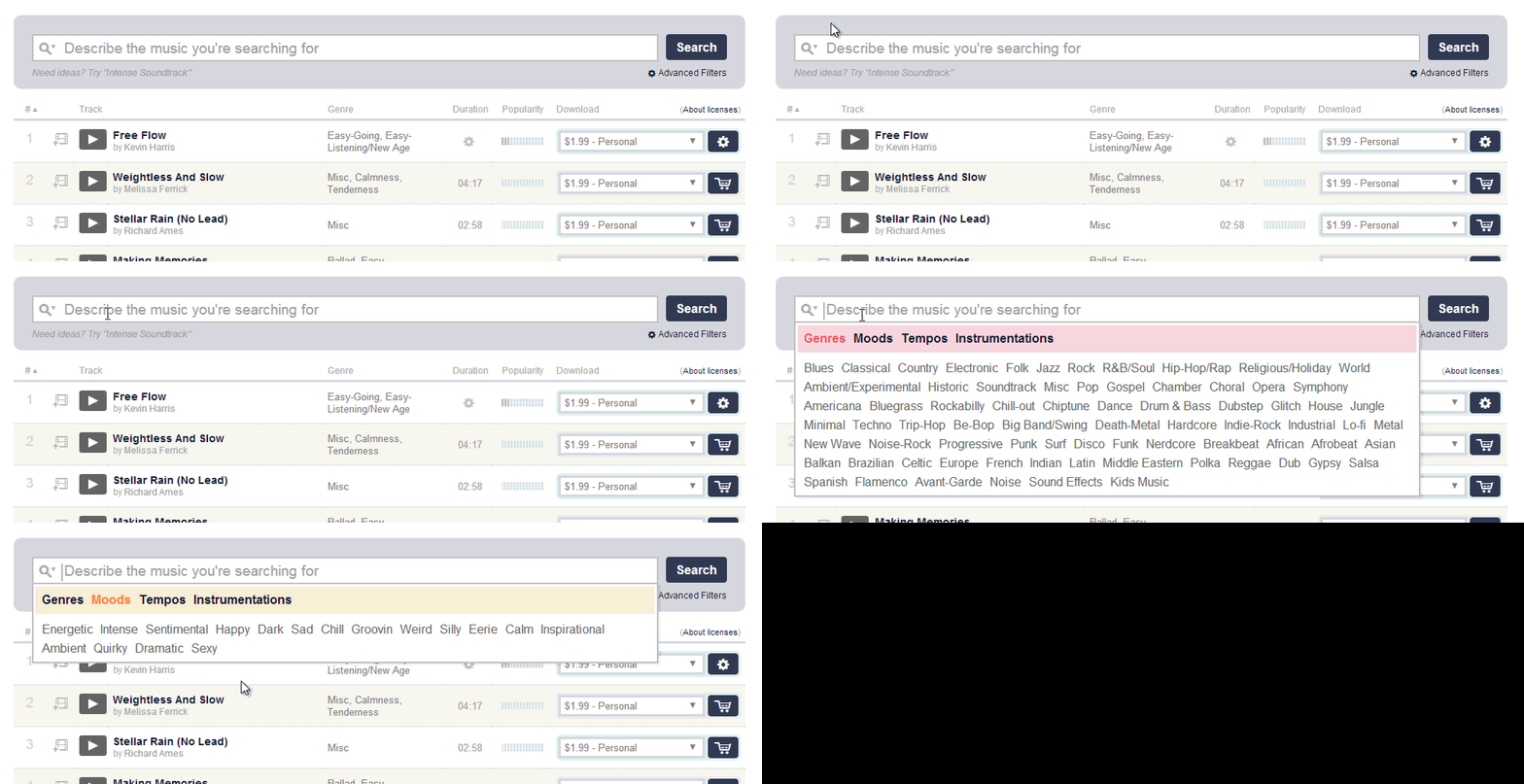
And now the breakdown: I click on the search boc and see “Chill-Out”
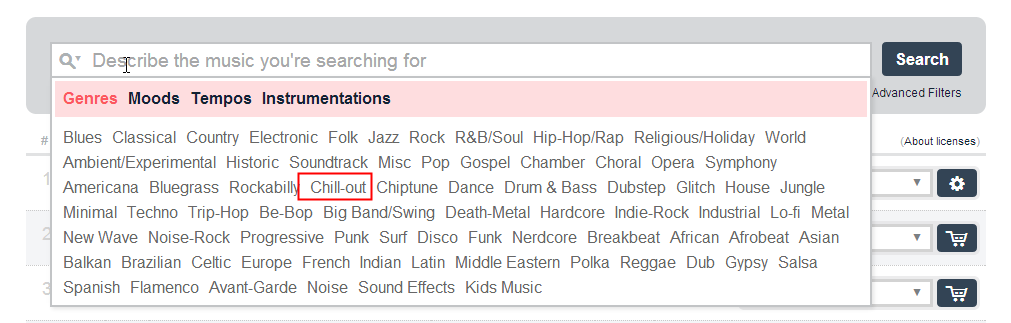
Naturally intend I move my mouse as shown below.
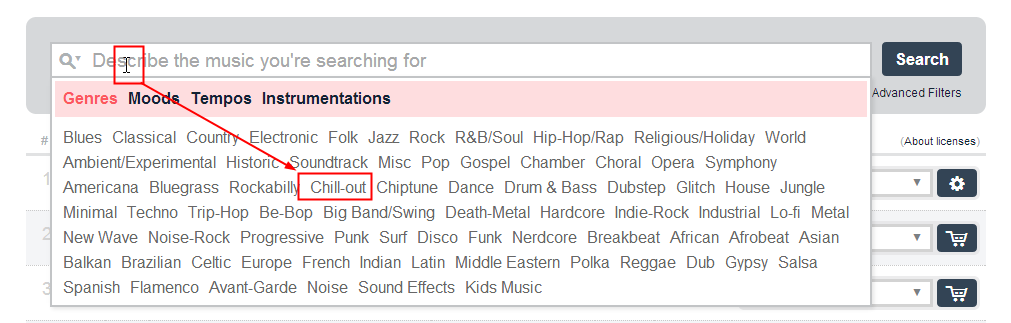
As my cursor crosses the first level of the flyout – it selects another category.
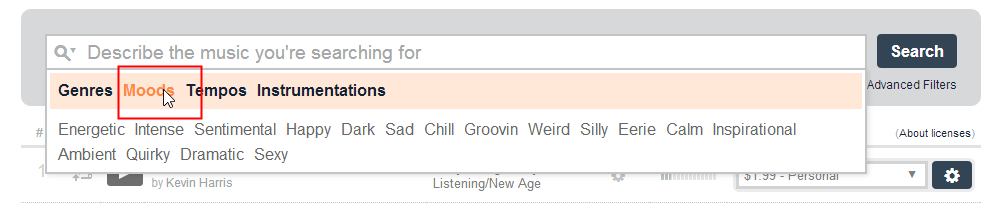
Now keep in mind I'm not slowly moving the cursor – I'm making a very fast gesture that will bring the cursor to my destination in a fraction of a second.
The end result is that I have find my mouse where “Chill-out” used to exist on my screen.
This is an irritating pattern because, once a user figures this out they have to carecfully navigate the maze of the flyout as shown below:
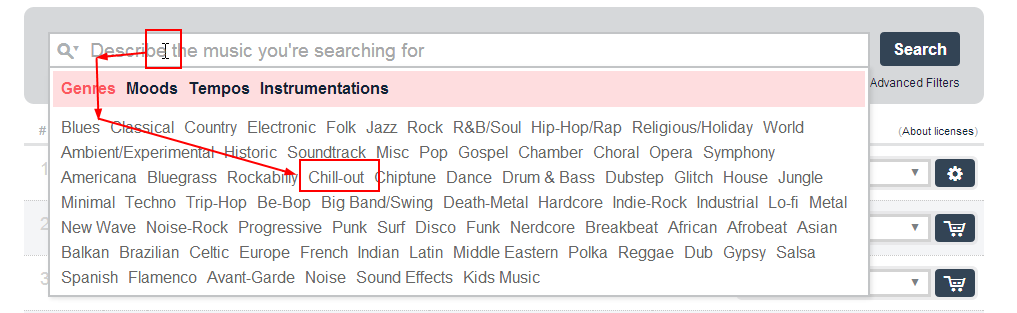
A couple of things I want you to keep in mind.
- Depending on the UI, the maze can get tricky to navigaste as you may have to move the mouse down some tight corridors. For example if “Genre”s had been an icon only that corridor may have been very small.
- Users may not have the physical dexterity to do this – they have problems moving their hands and so their paths may be more erratic than very precise geometric movements
- Some users may be using a device that makes such fine control difficult
- Users may be able to perform the navigation, but it may take time doing it due to their device or physical dexterity
Possible solutions
- One option is to provide a delay when moving over the first category. The problem there is that for some people the delay will not be enough and also other people will perceive the delay as sluggishness.
- The most straightforeward solution is force users to click on the category to select it instead of relying on merely cursor position.
 Sunday, June 30, 2013 at 10:36AM